Onboarding Issues
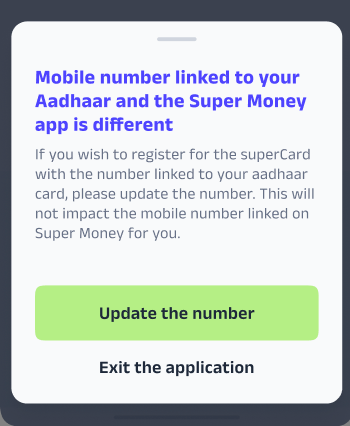
1. Mobile Number Mismatch Issues
Step 1: Acknowledge and Verify Policy
The agent must confirm the customer's request and the permissible method for this specific update.
Action 1: Confirm the customer needs to update the mobile number linked to their Kotak 811/Aadhar account for card processing/verification.
Action 2: Verify the current process: Customers are enabled to self-service this update within the application flow.
Action 3: Check for any potential blocks (e.g., if VKYC is already completed, the option may be locked).
Example Template
Dear User,
We understand you need to update the mobile number linked to your Kotak 811 super.money account for your credit card application.
You can easily initiate this change yourself within the application process:
Navigate back to the main application screen.
Look for the option labeled 'Update your Mobile' or 'Change Mobile Number'.
Click on this option and enter the new mobile number.
You will receive an OTP on your new mobile number for verification.
Once the OTP is successfully entered, your mobile number linked to your application/Aadhar will be updated, and you can proceed with the remaining steps.
If you are unable to find this option, please provide us with a screenshot of the page you are currently stuck on.
Regards,
super.money Support Team
Freshdesk Taggings
L1: Card - Kotak
L2: Application Issues
L3: Mobile Number Mismatch
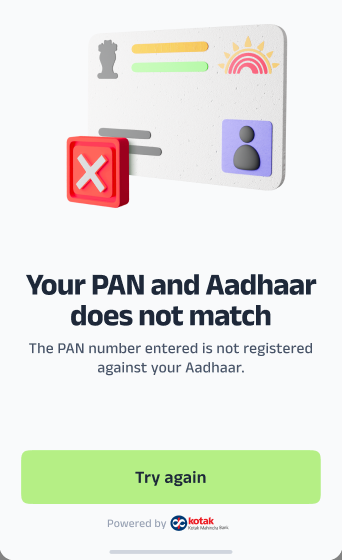
2. Aadhaar & PAN Name Mismatch
Step 1: Acknowledge and State the Problem
Inform the customer that a mismatch between the name on their Aadhaar and PAN is preventing the application from proceeding.
Step 2: Provide the Mandatory Resolution
Resolution: Advise the customer that they must update their name on either their PAN card or Aadhaar card to ensure complete consistency between the two documents.
Step 3: Explain the Necessity
Explain that this consistency is a mandatory requirement for verification and compliance, and it will streamline the application process once corrected.
Example Template:
Dear [Customer Name],
Thank you for reaching out to us and raising this concern.
We've found a discrepancy between the name on your Aadhaar card and your PAN card, which is unfortunately preventing us from proceeding with your Kotak811 super.money Credit Card application.
To resolve this issue, we kindly request you to update your name on either your PAN card or Aadhaar card to make sure they match perfectly.
Once the name is consistent on both documents, you can restart your application.
We appreciate your understanding and are here to help with any further questions.
Best regards,
super.money Support Team
Freshdesk Taggings
L1: Card - Kotak
L2: Application Issues
L3: Aadhaar Verification Issues
3. Unable to Change Application Details (Name, Address, etc.)
Step 1: Acknowledge and State the Policy
Inform the customer that no changes can be made to the application once the details have been filled out and submitted.
Step 2: Explain the Outcome
Inform the customer that if the Video KYC (VKYC) fails due to incorrect or mismatched information, their application will be rejected.
Step 3: Provide Reapplication Option
Resolution: Advise the customer that they will be eligible to reapply for the card after a waiting period, which is dependent on the bank’s internal policies.
Agent Communication Template
Dear [Customer Name],
We understand your concern regarding the need to update your application details.
Please be informed that once you have filled out and submitted your application, no changes can be made to fields like your Name, your Mother's Name, or your Address.
If your Video KYC (VKYC) is unsuccessful due to this incorrect information, your application will be rejected. You will then be eligible to reapply for the card after a waiting period, which is determined by the bank’s policies.
Thank you for your understanding.
Best Regards,
super.money Support Team
Freshdesk Taggings
L1: Card - Kotak
L2: Application Issues
L3: Unable to update details(Name, address, etc)
4. Requests to Cancel Kotak811 super.money credit card application
Step 1: Acknowledge and State the Policy
Acknowledge the customer's request to cancel the application.
Inform the customer that the Kotak811 super.money Credit Card application cannot be canceled once it is initiated from our end.
Step 2: Explain the Automatic Outcome
Resolution: Reassure the customer that the application will be automatically rejected within a few days if they do not complete the process (e.g., if they stop at the VKYC stage or do not submit required documents).
Advise the user to simply ignore the application status.
Example Template
Dear [Customer Name],
Thank you for reaching out to us. We understand you wish to cancel your SuperCard application.
We regret to inform you that the application cannot be canceled from our end once it has been initiated.
However, if you do not complete the remaining steps, the application will be automatically rejected within a few days. You may simply ignore the application status.
We appreciate your kind understanding in this regard.
Best Regards,
super.money Support Team
Freshdesk Taggings
L1: Card - Kotak
L2: Application Issues
L3: Application Cancellation Request
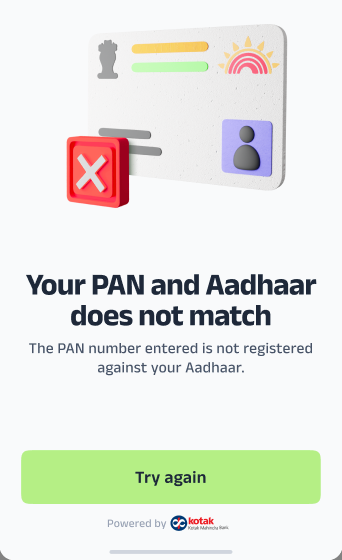
5. Aadhaar/PAN Mismatch - If the User says all the details are Correct.
Step 1: Acknowledge and Verify the Customer's Claim
Acknowledge the customer's frustration that the system is still showing a mismatch error despite their assertion that all documents are correct.
Inform the customer that the error is likely related to data validation checks performed by the bank.
Step 2: Provide Mandatory External Escalation
Inform the customer that only Kotak Bank has the authority to manually review
Action: Immediately direct the customer to contact Kotak Bank support using the official channels.
Step 3: Communicate the Contact Details
Instruction: Provide the customer with the following mandatory contact information to ensure a smooth escalation.
Agent Communication Template
Dear [Customer Name],
Thank you for confirming that all your documents are correct. We understand how frustrating it is to receive an error.
Since this is a data validation error occurring on the bank's end, you will need to contact Kotak Mahindra Bank directly for a manual review of your application details.
Please use the following official contact information to report this issue:
Email ID: customersupport@kotak.com
Kotak Credit Card Helpline Number: 1800 4100
Please provide them with your full name, PAN, and the error you are seeing. They will be able to investigate the issue further.
We appreciate your understanding and hope this is resolved quickly.
Best regards,
super.money Support Team
Freshdesk Taggings
L1: Card - Kotak
L2: Application Issues
L3: Unable to update details(Name, address, etc)
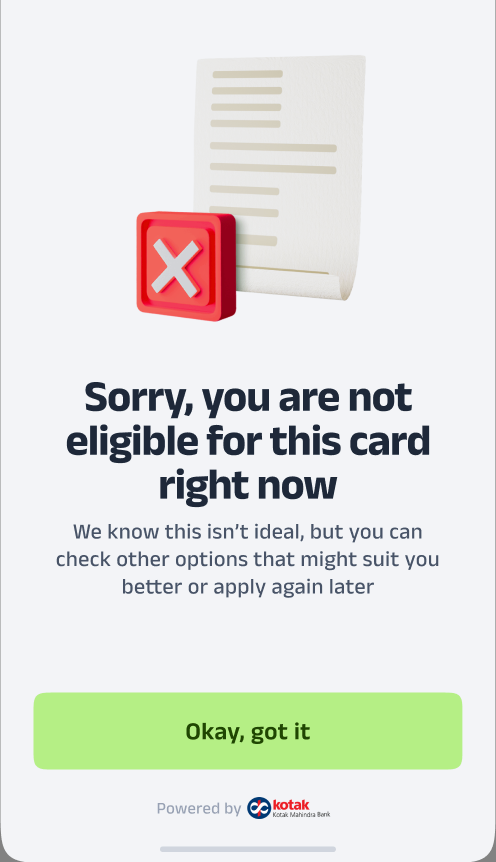
7. Application Rejected by Bank
Step 1: Acknowledge and State Policy
Acknowledge the customer's concern about the rejection.
Clarify that the onboarding decision is made solely by the bank based on their internal policies and eligibility checks.
Step 2: Explain Lack of Detail
Inform the customer that the rejection is not personal but part of the bank's standard procedure.
State that we do not have access to the detailed reasons for the decision, as it is governed entirely by the bank’s internal guidelines.
Example Template
Dear [Customer Name],
Thank you for reaching out to us. We understand your concern regarding the rejection of your Kotak 811 super.money credit card application.
We’d like to clarify that the final decision regarding onboarding is taken solely by the bank based on their internal policies and eligibility checks.
Please note that this decision is not specific to you personally, but is in line with the bank’s standard onboarding procedures. We unfortunately do not have access to the detailed reasoning behind this decision, as it is governed entirely by the bank's internal guidelines.
We truly appreciate your understanding in this matter. Please feel free to reach out to us if you have any other queries—we’re here to help.
Best Regards,
super.money Support Team
Freshdesk Taggings
L1: Card - Kotak
L2: App Issues
L3: Application Rejected
8. Card Delivered - App Status Pending
Step 1: Acknowledge and Verify Delivery
Acknowledge the customer’s query and confirm that they are holding the physical card.
Inform the customer that the app status is often delayed, and the primary action needed is card activation.
Step 2: Primary Resolution (Card Activation)
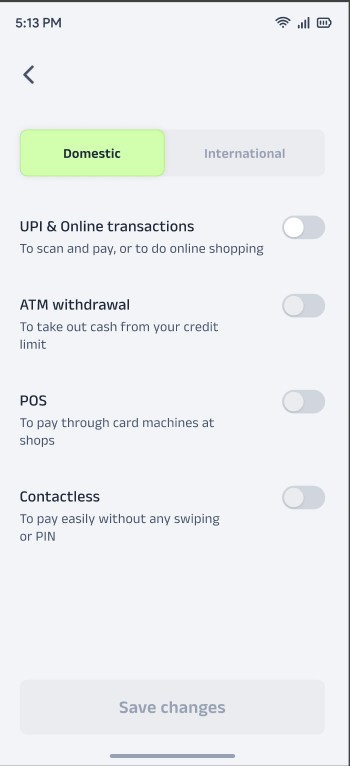
Instruct the customer to set their card PIN, which will activate the card and usually force the status update. Provide both activation options:
Option A (super.money App): Guide them through the process in the super.money app to set the Card PIN.
Option B (Kotak 811 App): Advise them they can also set the PIN directly in the Kotak 811 App for activation.
Step 3: Escalation (If PIN Setup Fails)
ACTION (If PIN setup fails): If the customer is unable to set their PIN via either app, the issue is a bank communication failure.
Redirection: Immediately redirect the customer to Kotak Customer Support for assistance, as the card itself is not active on the bank's end.
Agent Communication Template
Dear [Customer Name],
Thank you for letting us know you have received your physical card! We apologize that the status is not yet updated in the app.
The best way to resolve this by using either method below:
Via super.money App:
‘View All Settings’
Manage Card Settings
‘Set Your Physical Card PIN’.
Via Kotak 811 App: Use the official Kotak 811 App to set your PIN.
If you are unable to set the PIN using either method, please contact Kotak Bank Customer Support directly.
Best regards,
super.money Support Team
Freshdesk Taggings
L1: Card - Kotak
L2: App Issues
L3: Card Delivered update pending in the App
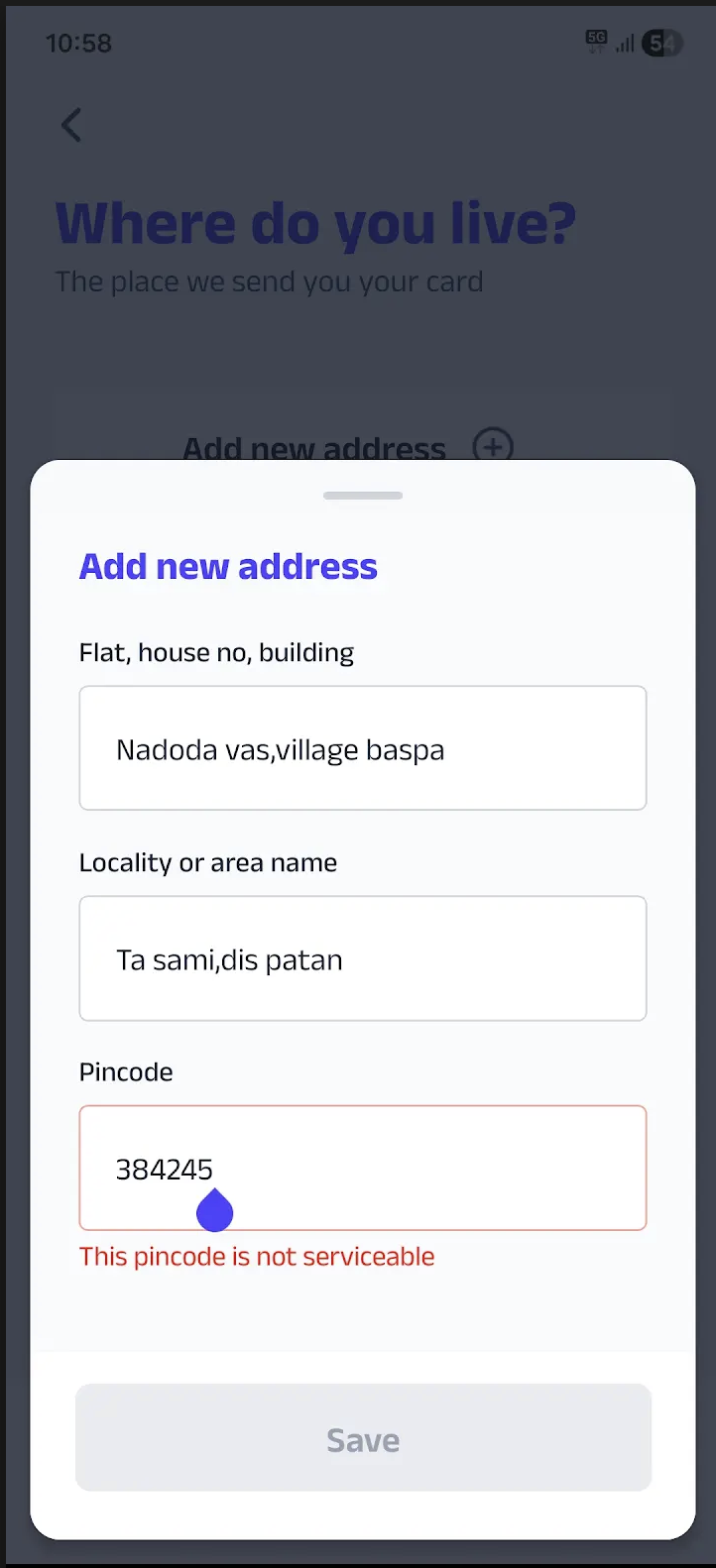
9. Kotak Serviceability & Pincode Eligibility
1. Serviceability Logic
Branch-Led Service: Kotak defines a pincode as "Serviceable" only if there is a physical Kotak Mahindra Bank branch present in that specific area.
Network Scope: Currently, Kotak services over 15,000 pincodes across the country.
Exclusions: There are over 4,000 pincodes where services are currently unavailable due to the absence of a local branch.
2. Troubleshooting Steps for Agents
Step 1: Confirm the customer's pincode provided in the application.
Step 2: Cross-reference the pincode with the internal serviceable list or Kotak’s branch locator to confirm the absence of a physical branch.
Step 3: If no branch is found, inform the customer using the approved "Non-Serviceable" template. Do not promise a specific timeline for when their area will become active.
Agent Response (Pincode Ineligible)
Dear Customer,
Thank you for your interest in our services.
While Kotak Mahindra Bank, currently serves over 15,000 locations, your area is among those that are not yet covered by Kotak Mahindra Bank’s service network.
We are constantly working with our partners to expand our reach. We recommend checking back with us in the future as we add more locations. We appreciate your understanding.
Regards,
super.money Support Team
Freshdesk Taggings
L1: Card - Kotak
L2: Onboarding Issues
L3: PINCODE Servicability
Was this article helpful?
That’s Great!
Thank you for your feedback
Sorry! We couldn't be helpful
Thank you for your feedback
Feedback sent
We appreciate your effort and will try to fix the article