Version: 2.0 (Updated) 26 Aug 2026
Trigger Condition: Customer submits a screenshot or ticket reporting the login/onboarding error:
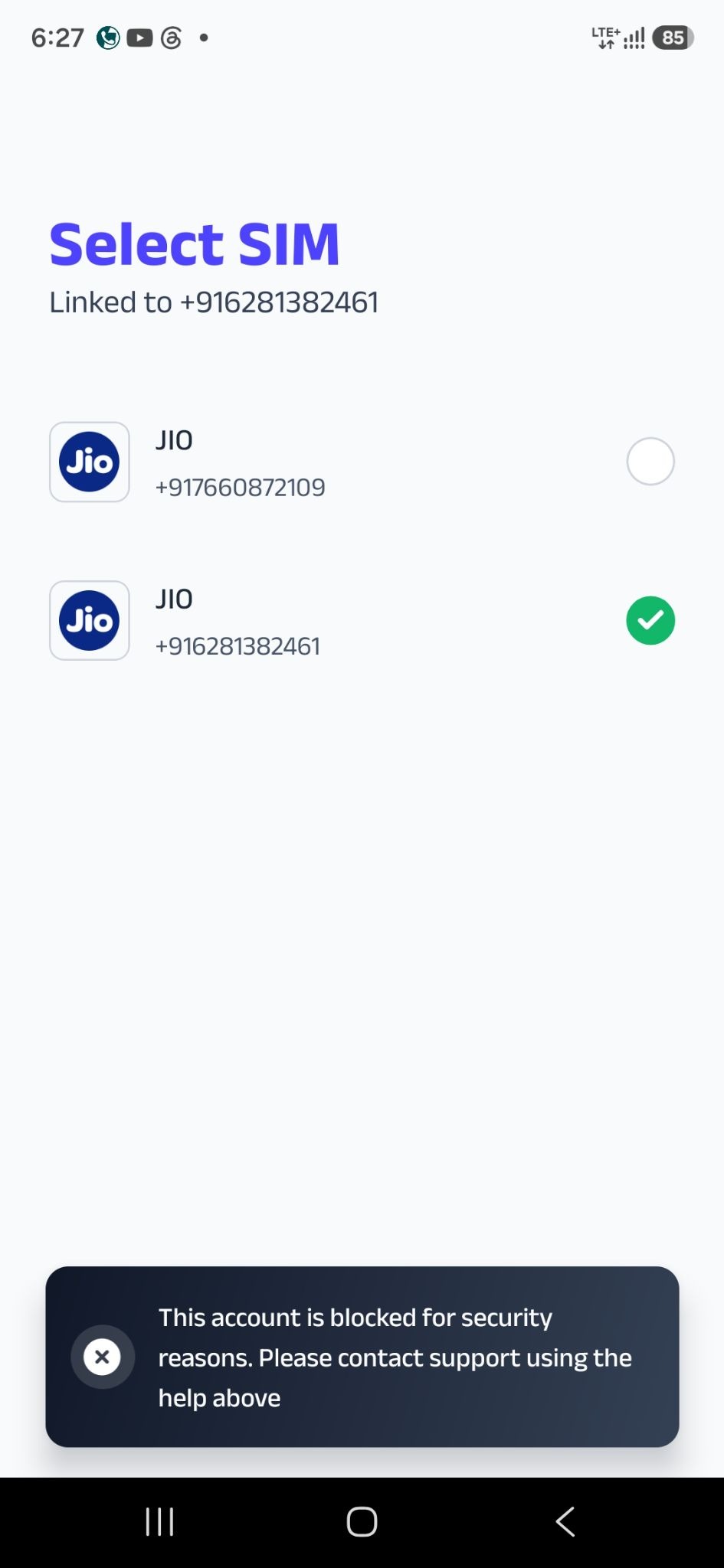
"This account is blocked for security reasons. Please contact support using the help above."
Step-by-Step Resolution Steps
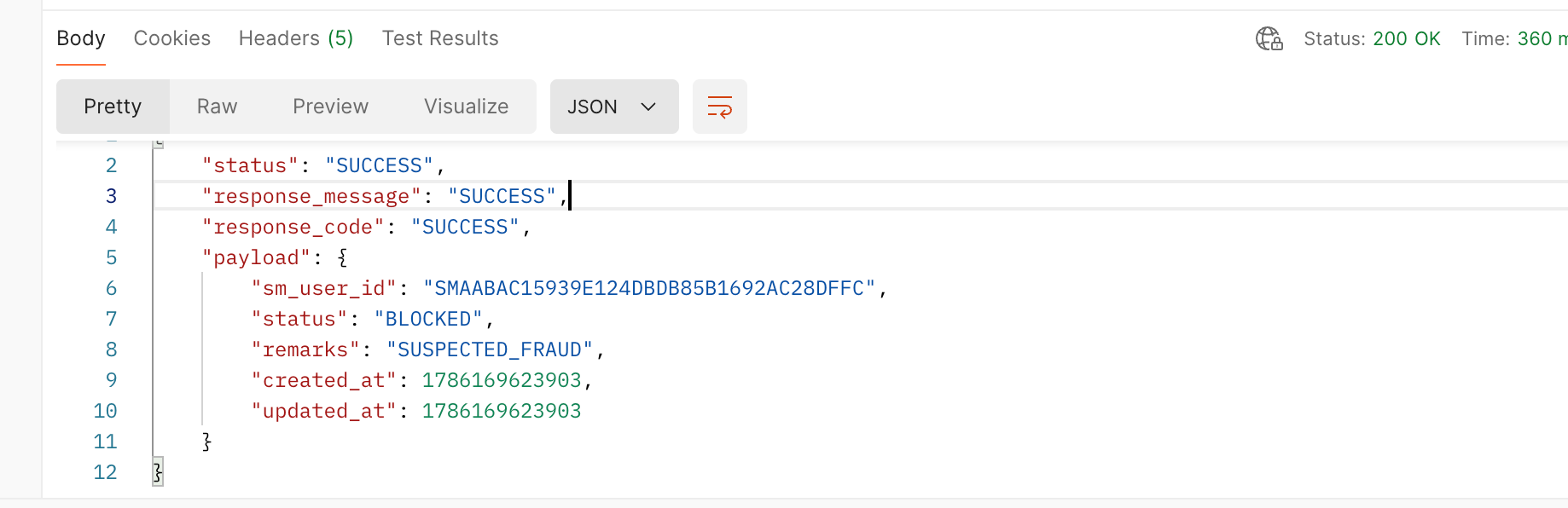
STEP 1: Verify Account Status via Postman
Copy the customer's SM_ID.
Search the SM_ID in the internal Blacklist Checking Tool.
Evaluate the result status: BLOCKED or SUCCESS.
STEP 2: Path A — If Status is "BLOCKED" (Manual Blacklist)
The customer has been manually blacklisted by the Security/Risk team. Check their active product holdings:
Case A1: User holds Axis superCard Pro or Kotak 811 superCard
Action: Inform the user that they can continue using their credit card normally through Kotak/Axis official mobile banking apps or NetBanking.
Case A2: User holds Utkarsh superCard or superFD
General Access / FD Withdrawal / Closure Queries: Inform the user that these cannot be managed in-app and redirect them to contact Utkarsh Small Finance Bank directly (securedcc@utkarsh.bank / 1800-309-7986).
Credit Card Bill Payment Queries: Do NOT redirect immediately. Raise a support ticket on the Upswing Platform to process/track the bill payment. Inform we will share the payment link as soon as possible.
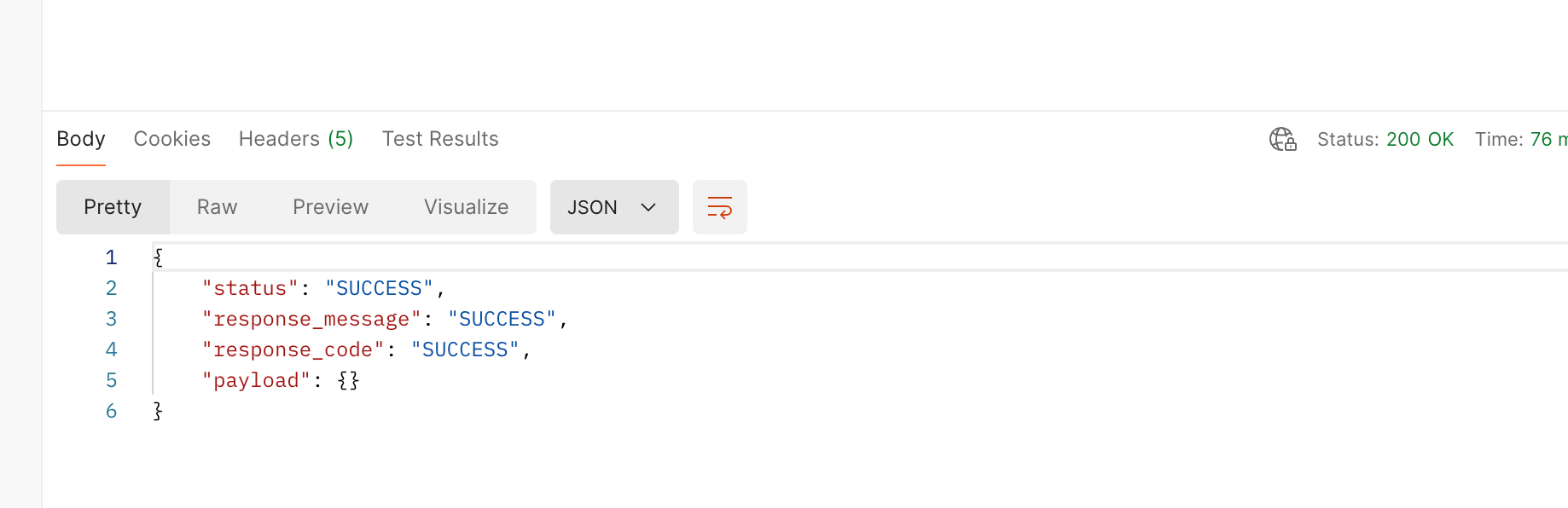
STEP 3: Path B — If Status is "SUCCESS" (Automated Risk / Rule Blocks)
If the tool returns SUCCESS, the block is triggered by an automated system/rule engine error. Open the Analytics Metabase Link to inspect the exact rule_id or error description:
Case B1: Description shows "Due to rule_id 33 binding is failed"
This indicates malicious software or elevated accessibility permissions detected on the user's phone.
Android Users:
Advise the customer to update the super.money app to the latest version.
Ask them to open the app; it will display a security warning listing the specific malicious app(s) detected.
Guide them to uninstall the listed app(s). Once removed, onboarding will proceed normally.
iOS Users OR Android Users who CANNOT see the malicious app list:
Do NOT close the ticket.
Raise a Child Ticket to the Technical / Security team for deep log inspection.
Case B2: Error shows "This account is blocked for security reasons...", "Unable to generate SMS token", OR any other Rule ID (except Rule 33)
Action: Inform the customer that we are unable to onboard them at this time.
Partner Redirect: Advise them to reach out directly to their respective partner bank (Kotak / Axis / Utkarsh) for any card, fixed deposit, or account closure queries.
Agent Response Templates
Template 1: Manual Blacklist — Axis / Kotak Cardholders
Hi [Customer Name],
After reviewing your account details, we regret to inform you that super.money app services are unavailable for your profile at this time.
Your Active Credit Card:
Please note that your [Axis superCard Pro / Kotak 811 superCard] remains fully active. You can continue using your card, making repayments, and managing settings directly via [Axis Bank / Kotak Mahindra Bank] NetBanking or Mobile Banking apps.
Regards,
super.money Support Team
Template 2: Manual Blacklist — Utkarsh superCard / superFD
Dear User,
Thank you for your patience. After a thorough review of our security protocols, we regret to inform you that we are unable to offer super.money services to you at this time.
Regarding your active Utkarsh superCard / superFD, please note that you must contact Utkarsh Small Finance Bank directly to initiate the closure of your card or the withdrawal of your fixed deposit, as these cannot be managed via the app.
Email ID: securedcc@utkarsh.bank
Utkarsh Helpline Number: 1800-309-7986
This is the final status regarding your app access. We appreciate your understanding.
Regards,
super.money Support Team
Template 3: Rule 33 Device Security Resolution (Android)
Hi [Customer Name],
Your onboarding was paused because our security system detected an application with high-risk permissions on your Android device.
Steps to resolve:
Update the super.money app to the latest version from the Google Play Store.
Open the app. It will display a list of harmful applications installed on your device.
Uninstall those applications from your phone settings.
Re-open super.money and complete your onboarding.
If you still face issues after removing the apps, please reply to this thread so we can assist you further!
Regards,
super.money Support Team
Template 4: System Risk Block (Metabase Not Rule 33 / Generate Token Error)
Hi [Customer Name],
Thank you for your patience.
Based on our security risk evaluation, we regret to inform you that we are unable to proceed with your onboarding on super.money at this time.
If you hold an active credit card or fixed deposit with our partner banks (Kotak Mahindra Bank, Axis Bank, or Utkarsh Small Finance Bank), please contact the respective bank directly for any card management or account closure queries.
Regards,
super.money Support Team
Template 4: User is BLACKLISTED and Unable to Pay Utkarsh CC Bill
Credit Card Bill Payment Queries: Do NOT redirect immediately. Raise a support ticket on the Upswing Platform to process/track the bill payment. Inform we will share the payment link as soon as possible.
Dear [Customer Name],
Thank you for reaching out to us. We apologize for the inconvenience you are facing in making your payment.
We have urgently raised a ticket with the bank to resolve this issue and to generate a direct payment link for you.
We will provide you with a final update within 48 hours. We appreciate your patience.
Best regards,
super.money Support Team
Was this article helpful?
That’s Great!
Thank you for your feedback
Sorry! We couldn't be helpful
Thank you for your feedback
Feedback sent
We appreciate your effort and will try to fix the article