Objective: To identify the reason a user is unable to perform key actions (binding, transactions, linking a bank account) and to provide a clear resolution or escalation path.
Action Plan
If the user has already shared the contact number in the first response, please follow Steps 2 and 3.
If the details are not available, follow Step 1.
Based on the device information you receive, follow the corresponding procedure below.
If the user is using an iPhone, ask them to change the device. Do not follow the steps below.
Only follow the steps below if the user’s device is an Android.
Also, check if the customer has raised a data deletion request in the past. If yes, then inform the customer that they will not be able to Login.
If no, then follow the steps below.
Link to check the Device Details.
Current Blacklisted Device:
iPhone X Series(iPhone X, XS, XS Max, XR)
Scenario A: Customer is using an iPhone
Ask the customer to change the device and try signing in. If the issue persists, follow
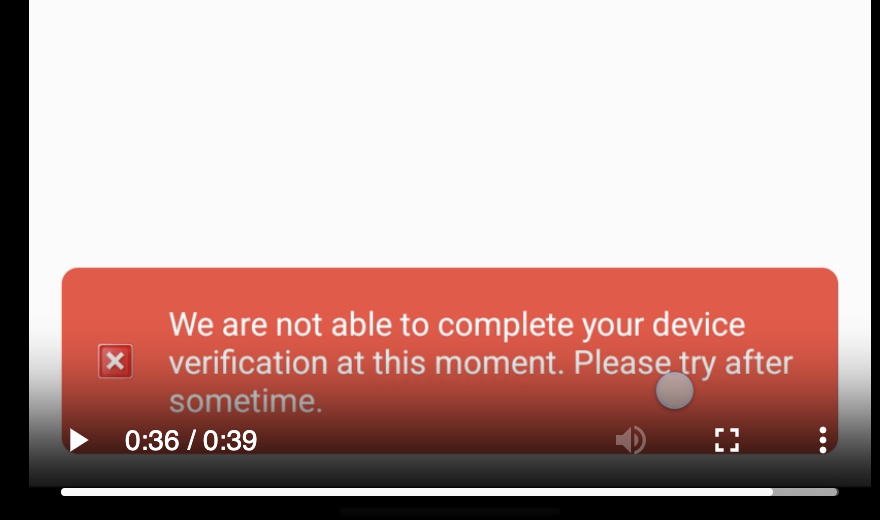
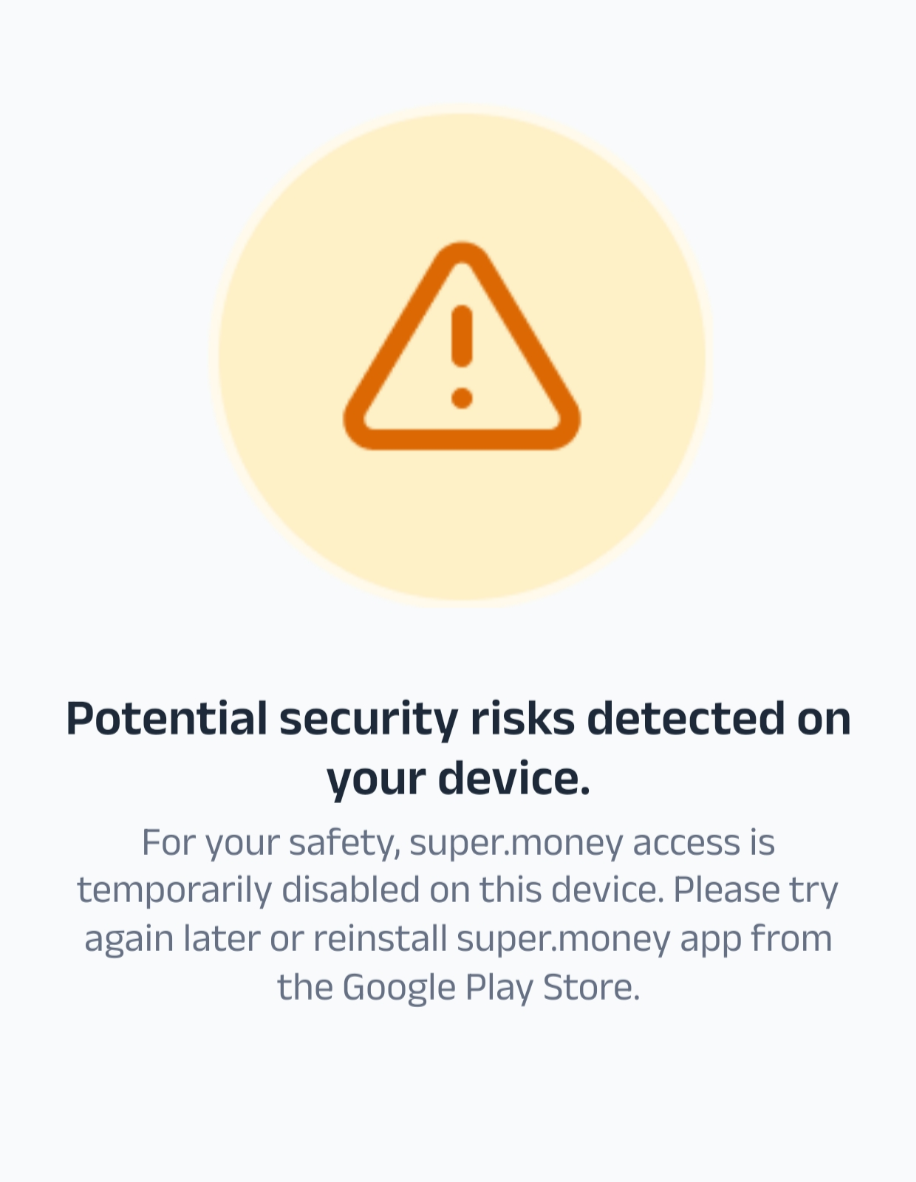
Customer is using any device other than an iPhone
Action 1 (Initial Recommendation): Advise the customer to change their device, install the app on a different device, and try the process again.
Action 2 (If Issue Persists): If the customer confirms they are still unable to proceed on a different device, follow the steps below:
Step 1: Initial Probing & Information Gathering
Before taking any action, you must first gather key details from the customer.
Contact Number: The customer's registered mobile number.
Error Screenshot: Ask the customer for a screenshot or a screen recording of the exact error message they are seeing.
Device Details: Ask for the customer’s device name and operating system (e.g., "iPhone 13 with iOS 16" or "Samsung S21 with Android 13").
Taggings: L1: Application, L2: Login Issues, L3: Risk Block
Step 2: Initial Diagnosis
When a customer reports being blocked from the app, first check their profile and screenshot for a clear blocking reason.
Check Percept or Moengage for Blocked Status: Look for a flag indicating the user or their device is on a blocked list.
If the user is flagged as "blocked_due_to_blacklisted_user":
Inform the customer that their account has been restricted for security reasons.
Politely state that we are unable to provide more specific details for their security.
Do not take any further action on this ticket. The account is permanently restricted.
Taggings: L1: Application, L2: Login Issues, L3: User Blocked
If the user is flagged as "blocked_due_to_blacklisted_device":
Advise the customer to change their device, install the app on a different, new device, and try the process again.
If the customer confirms they are still unable to proceed on a different device, follow Step 3.
Taggings: L1: Application, L2: Login Issues, L3: Device Blocked
Step 3: Check Device Security & Integrity
If the user is not on a blocked list, the issue is likely related to their device's security. You must check the device’s "Play Integrity" status in your internal tools.
Enter the SM ID in the Metabase to check the device integrity.
Scenario A: Play Integrity is POSITIVE (Device is Secure)
User Status: The user should be able to perform all actions (binding, transactions, and linking a bank account).
Agent Action:
If the user reports being blocked, this is an unexpected issue.
Action: Immediately escalate the ticket to the technical team with all relevant user details by creating a child ticket (User ID, Device Info.)
Inform a TAT of 5 working days.
Taggings: L1: Application, L2: Login Issues, L3: Risk Block
Scenario B: Play Integrity is NEGATIVE (Device is Unsecure)
User Status: The user's device is considered unsecure and is blocked from all activities unless they are whitelisted.
Agent Action: Check if the user has an active SuperCard or FD via this Link.
If YES:
Create a Child Ticket: Create a new ticket that is linked to the primary ticket.
Highlight to Priyam: Tag Priyam on the new ticket.
Inform the customer that we have escalated the issue to our technical team and that we will provide an update within 5 working days.
If NO: Inform the user that their device has been flagged as unsecure for safety and security reasons. They will be unable to perform transactions on this device.
Taggings: L1: Application, L2: Login Issues, L3: Device Blocked
Scenario C: Play Integrity is UNKNOWN (Status Undetermined)
User Status: The system cannot verify the device's security status.
Agent Action: Check if the user has an active SuperCard or FD via this Link.
If YES:
Create a Child Ticket: Create a new ticket that is linked to the primary ticket.
Highlight to Priyam: Tag Priyam on the new ticket.
Inform the customer that we have escalated the issue to our technical team and that we will provide an update within 5 working days.
If NO: Inform the user that their device has been flagged as unsecure for safety and security reasons. They will be unable to perform transactions on this device.
If NO: Inform the customer that their device cannot be verified for security reasons and they will be unable to perform any transactions.
Taggings: L1: Application, L2: Login Issues, L3: Risk Block
Email Templates:
Response: If the user’s device is an iPhone.
Dear User,
Thank you for reaching out to us. We received your report regarding the device binding issue you're facing on your iPhone.
We want to let you know that a couple of other users have reported a similar problem. Our team is actively investigating this, but we haven't been able to replicate the issue on our end yet.
For now, we recommend you try logging into the super.money app using another phone to see if it works.
We are working to find a permanent solution to this problem and will notify you as soon as we have an update.
Thank you for your patience.
Regards,
super.money Support Team
First Response if the user's details are not available.
Dear user,
Thank you for reaching out to us. We're sorry to hear you’re facing this issue, and we want to get it sorted out for you as quickly as possible.
We want to let you know that a couple of other users have reported a similar problem. Our team is actively investigating this, but we haven't been able to replicate the issue on our end yet.
For now, we recommend you try logging into the super.money app using another phone to see if that works.
If the problem continues, please reply to this email with the following details. This will help our team in their investigation:
Registered Contact Number:
Error Screenshot:
Device Details (model and OS version):
Thank you for your patience while we work on a permanent solution. We're here to help!
Best regards,
super.money Support Team
Response if you're raising a child ticket and highlighting it post integrity check:
Dear user,
Thank you for reaching out to us.
We have highlighted your complaint about this issue to our internal team, and they are now working on it as a priority.
We will provide you with a detailed update on the status of your issue within 5 working days.
We appreciate your understanding and will be in touch soon.
Regards,
super.money Support Team
Response if the user’s number is blocked:
Dear user,
Thank you for reaching out to us.
We are writing to inform you that your account has been permanently restricted due to our security protocols.
We are unable to provide more specific details regarding this decision. This is a necessary step we take to protect the security of our systems and your personal information.
Please be advised that this decision is final, and no further action can be taken on this account.
Thank you for your understanding.
Regards,
super.money Support Team
Response if the user’s device is blocked:
Dear User,
Thank you for reaching out to us.
As a next step in our troubleshooting process, we would like to rule out any device-specific issues. We kindly advise you to install the super.money app on a different, new device and try the signup again.
This will help us determine if the problem is with your device or with the app itself.
Please let us know the outcome once you have tried this, and we will be ready to assist you further.
Regards,
super.money Support Team
Was this article helpful?
That’s Great!
Thank you for your feedback
Sorry! We couldn't be helpful
Thank you for your feedback
Feedback sent
We appreciate your effort and will try to fix the article