General
1. What is the SuperMoney Education Fee option?
SuperMoney is a platform that lets you pay an education fee to anyone directly using your credit card.
2. Who can I pay with SuperMoney?
Payment can be made to anyone who has successfully completed their Know Your Customer (KYC) verification.
3. Why is the recipient's PAN required to make a payment?
PAN verification helps ensure:
• Payments reach the correct beneficiary
• Compliance with regulatory and tax requirements
• Protection against fraud and high-risk transactions.
4. What is the convenience fee for Education Fee payments?
A small convenience fee is charged to cover the costs associated with processing credit card payments. The fee structure is as follows:
A convenience fee of 0.99%* is charged on the education fee.
Please note that this fee does not include GST. The final fee amount, including GST, will be clearly visible on the payment screen before you complete your transaction.
5. Is my credit card information safe?
Yes. We use bank-grade encryption and PCI-DSS-compliant systems to protect your card details.
Education Fee Payments
6. Can I schedule auto-pay for the Education Fee?
Sorry, this feature isn’t available yet. We’ll notify you once it goes live.
7. Will I get cashback on the Education Fee?
Currently, cashback is not offered for education fee payments. We’ll update you if this changes.
8. Can I set a reminder for the Education Fee?
Not yet. Reminder functionality will be available soon.
9. I started the Education Fee process but didn’t finish. Can I continue later?
Yes, you can pick up right from where you left off.
10. Will I get discounts on the Education Fee?
If there’s any ongoing offer for your card, you’ll see the details automatically during payment.
11. Are there any payment amount limits for education fee payments?
Yes. Payment limits for a customer depend on multiple factors, which may or may not include your card limit and regulatory guidelines.
Payments & Refunds
12. How do I know if my payment is successful?
You’ll receive a confirmation from us as soon as the payment is processed. In some cases, the recipient may also need to confirm before funds are credited.
13. How long does it take for the recipient to get paid?
Instantly, in most cases.
If a payment is under review for security, you’ll see the expected date/time of credit.
14. What happens if my payment fails?
If no money was deducted → Simply retry.
If money was deducted → The amount will be refunded to your credit card within 5–7 working days.
15. My Education fee payment was successful, but the recipient hasn't received the money.
For certain transactions, there may be delays in settlement to the recipient to ensure that there are no security risks in the transaction. If no issues are found, the amount will be paid to the recipient automatically within 48 hours. If it has been over 48 hours and the recipient hasn’t received the money, → Contact super.money support with your transaction ID for quick resolution.
16. How do refunds work?
Refunds are always credited back to your original credit card. You’ll be notified when it’s initiated.
17. Why is my education fee payment showing as pending?
In case of some transactions, due to a network issue, the payment gateway might not be able to process the transaction. In such cases the transaction goes into the pending state. You do not need to worry, your money is totally safe. If your account has been debited, the refund will be processed and credited back to your account in 5-7 business days.
18. Why is location permission mandatory during education fee payment via credit card?
Location permission is a crucial security measure to protect your transactions and prevent fraud.
When you use a credit card for education fee payment, our system uses your device's location to verify the transaction. This is a standard security protocol required by banks and payment processors.
By confirming your location, we can ensure that the payment is being made by you and not by an unauthorised party. This simple check helps to protect your card details and funds from fraudulent activity.
19. Will the users get an education fee payment receipt via email?
Yes, you can download the education fee receipt by following the steps below:
Navigate to the Education Fee section.
Tap on the Transaction History tab (located in the top right corner).
Select the specific transaction for which you need the receipt.
Choose the Download receipt option at the bottom of the transaction details screen.
However, customers cannot download the invoice of the convenience fee from the super.money. They can raise a request for an invoice of the convenience fees charged by reaching out to the super.money support(help@super.money).
Agent Action:
Create a child ticket requesting a convenience fee invoice and tag ‘Product Managers’> ‘Melron’.
Mention the contact number and transaction UTR number in the ticket.
Inform the customer that they will receive the invoice via email within 48 hours.
Taggings: L1: Education Fee, L2: Account & Profile, L3: Receipt Request
Support & Help
20. How can I check my payment status?
You can check the payment status in the super.money app by following the steps below:
Navigate to the Education Fee section.
Tap on the Transaction History tab (located in the top right corner).
21. How can I contact support?
Email: help@super.money
In-app chat: Available inside the app
22. How long do refunds take?
Refunds usually reflect in your credit card statement within 5–7 working days, depending on your bank.
23. Can users use any credit card to pay the education fee on Super Money?
Most major credit cards are supported, but there are a few exceptions based on the card network and type.
Supported Cards: You can use any RuPay, Visa, or Mastercard credit card to pay tuition fees.
Unsupported Cards: The current Education fee payment flow does not support American Express (AMEX), Diners, Discover, or Corporate credit cards.
Tutor Verification & Compliance
24. Why do I need to provide the tutor’s PAN?
This is a mandatory regulatory requirement. We collect the tutor’s PAN to verify their identity before processing any tuition fee payments, ensuring all transactions on the platform remain secure and compliant.
25. Why is the tutor's mobile number required if I have their VPA?
Even if you provide a Virtual Payment Address (VPA) or bank account details, we still require the tutor’s mobile number for compliance and onboarding purposes as per regulatory guidelines.
Tutor Onboarding Process
26. Why does my tutor need to "onboard" to super.money?
As per regulatory guidelines, any receiver must be officially onboarded as a "Tutor" on our platform before they can legally accept tuition fee payments through this flow.
27. How does a tutor complete the onboarding process?
The onboarding process is designed to be seamless and secure. Here is the step-by-step flow:
Share Link: You (the sender) share a unique onboarding link with the tutor via WhatsApp.
Tutor Login: The tutor clicks the custom link and enters their mobile number to begin.
KYC via DigiLocker: The tutor completes their KYC verification by logging into their DigiLocker account.
Final Verification: Once the KYC is successful, the tutor's status is updated.
How will I know it’s done? Once the process is complete, the tutor will automatically appear in your 'Verified Tutors' section within the super.money app. You can then proceed with the payment securely.
28. What if my tutor is not comfortable sharing their Aadhaar?
Aadhaar details are collected strictly for compliance and KYC (Know Your Customer) purposes. If a tutor refuses to provide Aadhaar, the payment cannot be processed, and the transaction will be marked as a Compliance Drop-Off.
Troubleshooting Link & Payment Issues
29. Can I make a payment before the tutor finishes onboarding?
No. You cannot make a payment to a tutor whose onboarding is still "Pending". You must follow up with your tutor to ensure they complete their verification before you try the transaction again.
30. Why is there no "Rent" payment category?
Our current product is specifically approved by regulators to support Tuition Fee payments only. Rent payments and other categories are not supported under this specific payment flow.
Internal Error Handling
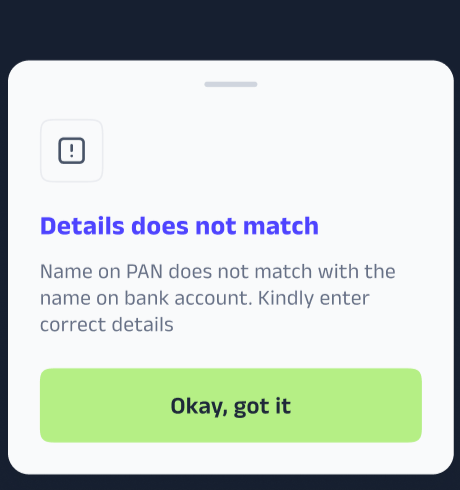
31. I'm getting an error that my "Name on PAN does not match with the name on bank account." What should I do?
This error means that the PAN card you entered does not exactly match the name registered with their bank account. For security purposes, these two names must be identical.
To resolve this, please follow these steps:
Check your details: First, confirm that the name on your PAN card is exactly the same as the name linked to their bank account. Pay close attention to middle names, initials, or the full spelling of your name.
Update your information: If there is a mismatch, you will inform the beneficiary to update the name in one of the two places. The best option is to contact thier bank to get the name on their bank account updated to match the name on thier PAN card.
Try again: Once your details have been updated and you have verified they are consistent, you can attempt the process again. This is a crucial security step to prevent unauthorized access to your account.
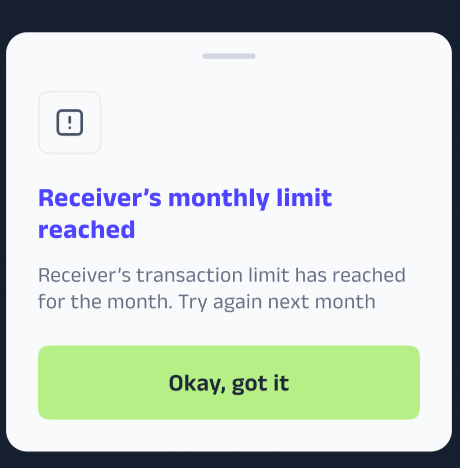
32. What does "Receiver's monthly limit reached" mean?
This message means that the person you are trying to pay has reached their maximum transaction limit for the current month. This is a limit set for security and regulatory reasons on how much money a user can receive in a given month.
Since the receiver has reached their limit, the transaction cannot be completed. The best option is to either:
Ask the receiver to provide an alternate bank account to receive the funds.
Wait until the beginning of the next month to complete the transaction.
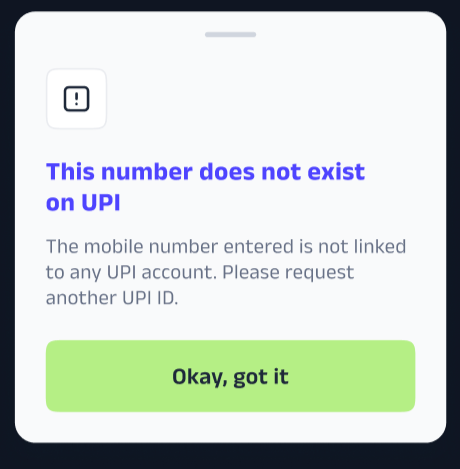
33. What does "This number does not exist on UPI" mean?
This message means that the mobile number you entered is not currently registered for UPI payments. This can happen if the person you are trying to pay has not linked their bank account to their mobile number on a UPI-enabled app.
To resolve this issue, please:
Confirm the number: First, double-check that you have entered the correct mobile number.
Request a different UPI ID: Ask the recipient to share another UPI ID, such as a VPA (Virtual Payment Address) .
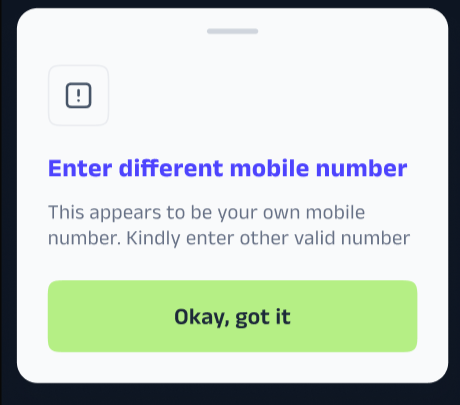
34. Why am I being told to "Enter a different mobile number" when trying to make a payment?
This message appears when you are trying to send money to a mobile number that is linked to your own bank account. For security purposes, our system doesn't allow you to send money from your credit card to yourself.
To fix this, simply enter the correct mobile number of the person you are trying to pay.
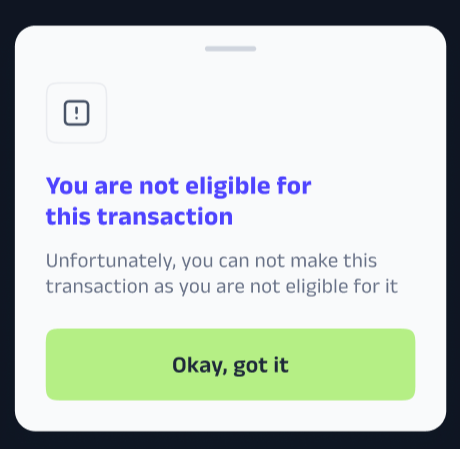
35. I'm getting a "You are not eligible for this transaction" error when trying to pay the Education Fee with my credit card. What does this mean?
This message means that the specific credit card you are using is not eligible for education fee payments on our platform. This can happen for a few reasons, such as:
The card type is not supported (e.g., AMEX credit card or a corporate/business, Diners, or Discover credit card).
The transaction is being declined due to a policy from your bank or our payment processor.
To fix this, please try using a different credit card.
36. What does "Monthly limit exhausted" mean?
This message means you have reached the transaction limit set for tutor payments. For security and platform safety, we limit how often and how much you can pay via this specific feature.
Note: You can use the Metabase link to check the number of transactions made by a single user in a month.
37. I'm getting a "Daily limit exhausted" error. What does this mean?
This message appears when you have reached your daily transaction limit. Since you've reached your limit, you will need to wait until the next day to make another transaction.
38. What does "Receiver's monthly limit reached" mean?
This message means that the person you're trying to pay has reached the maximum amount they can receive this month. This is a security and regulatory limit to prevent fraud.
To complete your transaction, you'll need to either ask the receiver to use a different bank account or wait until the next month to try again.
ca39. I'm getting an error that “I cannot transfer money to this user." Why?
This message means that the recipient's account is currently unable to receive payments. For security and regulatory reasons, their account is restricted from processing this transaction at this time.
Due to this restriction, we cannot complete the transaction. We recommend contacting the recipient directly and asking them to provide an alternate bank account or UPI ID to receive the funds.
40. Are there any limits when paying for the education fee with a new credit card?
Yes, for security purposes, there is a limit you should be aware of. These are standard security measures designed to protect your account and prevent fraudulent transactions.
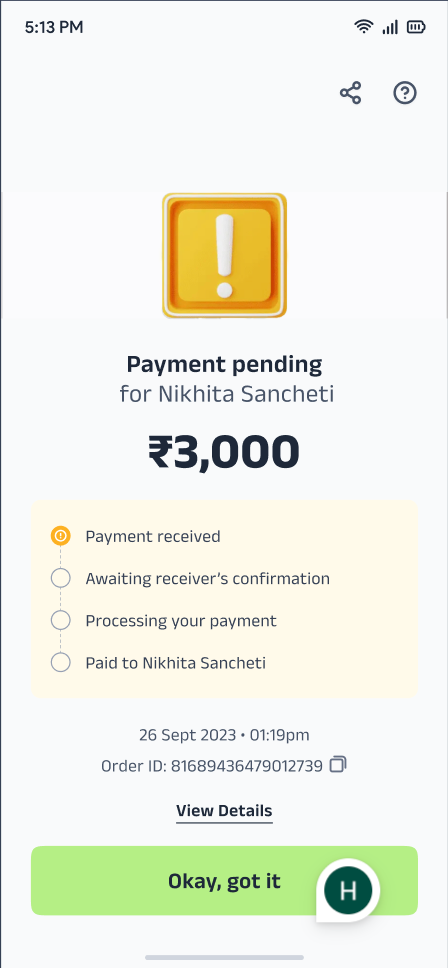
41. My education fee payment is showing as "pending." How long will it take to reach the beneficiary?
When you pay your education fee with a credit card, the payment goes through a multi-step process involving various payment partners and banks. This is why the status shows as "pending."
You can rest assured that your payment is being processed. The beneficiary will receive the amount within 48 hours.
If the amount is not credited after this 48-hour period, please feel free to reach out to our support team with your Order ID for assistance.
42. What is the minimum transaction amount for education payments?
The minimum transaction amount for education fee payments is INR 2,000.
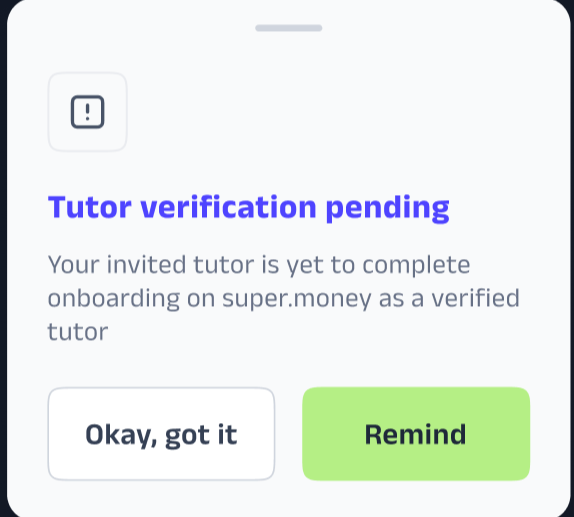
43. Why am I seeing the message "Tutor verification pending"?
This message indicates that the person you invited to join as a tutor has not yet finished their registration process. To send money successfully, your invited tutor must successfully complete their onboarding and become a "verified tutor" on super.money.
What can you do?
Remind Them: Tap the 'Remind' button in the app to send a quick nudge to your friend to complete their verification.
Stay Informed: Once their onboarding and verification are successful, the status will update automatically in your app.
44. Why is my payment to a specific tutor being declined or failing?
To ensure secure and streamlined transactions on our platform, super.money allows you to make a payment to a specific tutor only once per calendar month. If you have already successfully paid this tutor within the current month, any subsequent payment attempts to the same person will be restricted until the 1st of the next month.
Was this article helpful?
That’s Great!
Thank you for your feedback
Sorry! We couldn't be helpful
Thank you for your feedback
Feedback sent
We appreciate your effort and will try to fix the article